
Published
Last updated
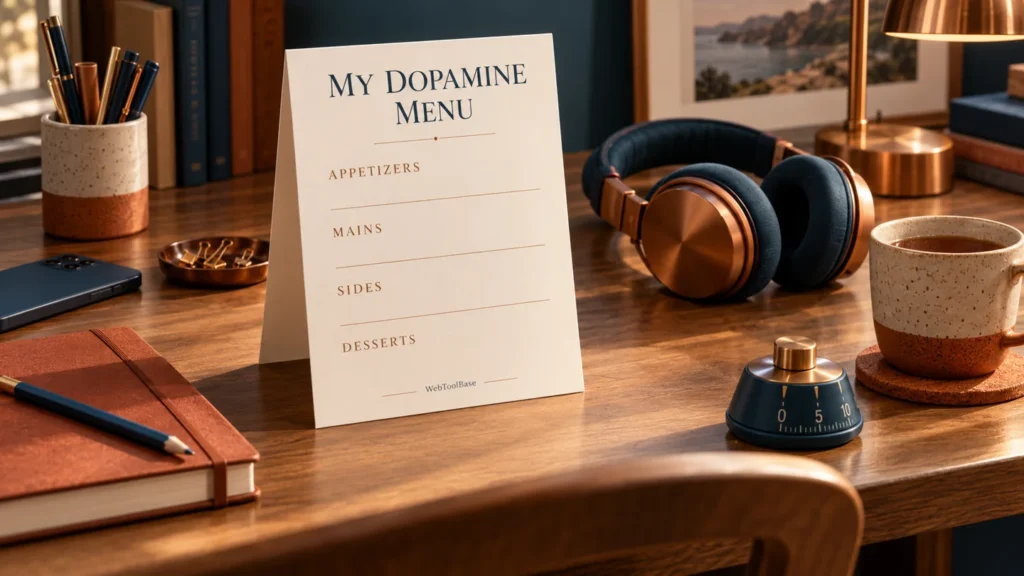
A dopamine menu is a short list of activities you enjoy, organized so you can choose something that fits the time, effort and attention you have available. For adults with ADHD, it can be a useful way to decide on a break in advance. The menu does not measure dopamine, diagnose ADHD or replace treatment.
The useful part is very ordinary: when you have ten minutes and cannot think of anything except opening your phone, you have a few choices written down. A good menu tells you what to do, what you need and where to stop. It should be easier to use than inventing a plan from scratch.
Use the free dopamine menu generator to write your own four-category menu, open a printable version and download a text copy. The examples below explain how to make the choices realistic, including the time it takes to return to what comes next.
What is a dopamine menu, and where did the idea come from?
The restaurant-menu comparison gives different kinds of enjoyable activities a place: short appetizers, longer mains, sides that accompany a task and desserts that benefit from a chosen boundary. Some people add occasional specials. You can rename or leave out categories. There is no required number of entries or medically prescribed duration for any course.
Jessica McCabe and Eric Tivers discuss the approach in the 2020 How to ADHD video How to Give Your Brain the Stimulation It Needs. It is a community planning idea. Calling a list a dopamine menu does not make it a laboratory measurement or establish that a particular activity changes a particular person’s brain chemistry by a predictable amount.
Think of the menu as a way to keep appealing options visible. Its practical value depends on whether you can start an activity, enjoy it and stop when you need to. You do not have to feel more productive afterward for a break to have been worthwhile.
What the menu can and cannot tell you about ADHD
The National Institute of Mental Health’s adult ADHD overview describes difficulties with attention, organization and daily functioning, and explains that treatment is available. A menu is not a substitute for that care. Trouble choosing a break, boredom or a tendency to scroll does not by itself establish an ADHD diagnosis.
This guide offers planning suggestions, not a clinical protocol. We are not presenting the menu as a proven treatment for ADHD symptoms or as a way to correct a measured deficiency. Keep prescribed treatment and professional advice separate from experiments with how you organize your leisure time. If difficulties repeatedly disrupt work, relationships or daily care, take specific examples to a qualified health professional.
The four dopamine menu categories, with practical examples
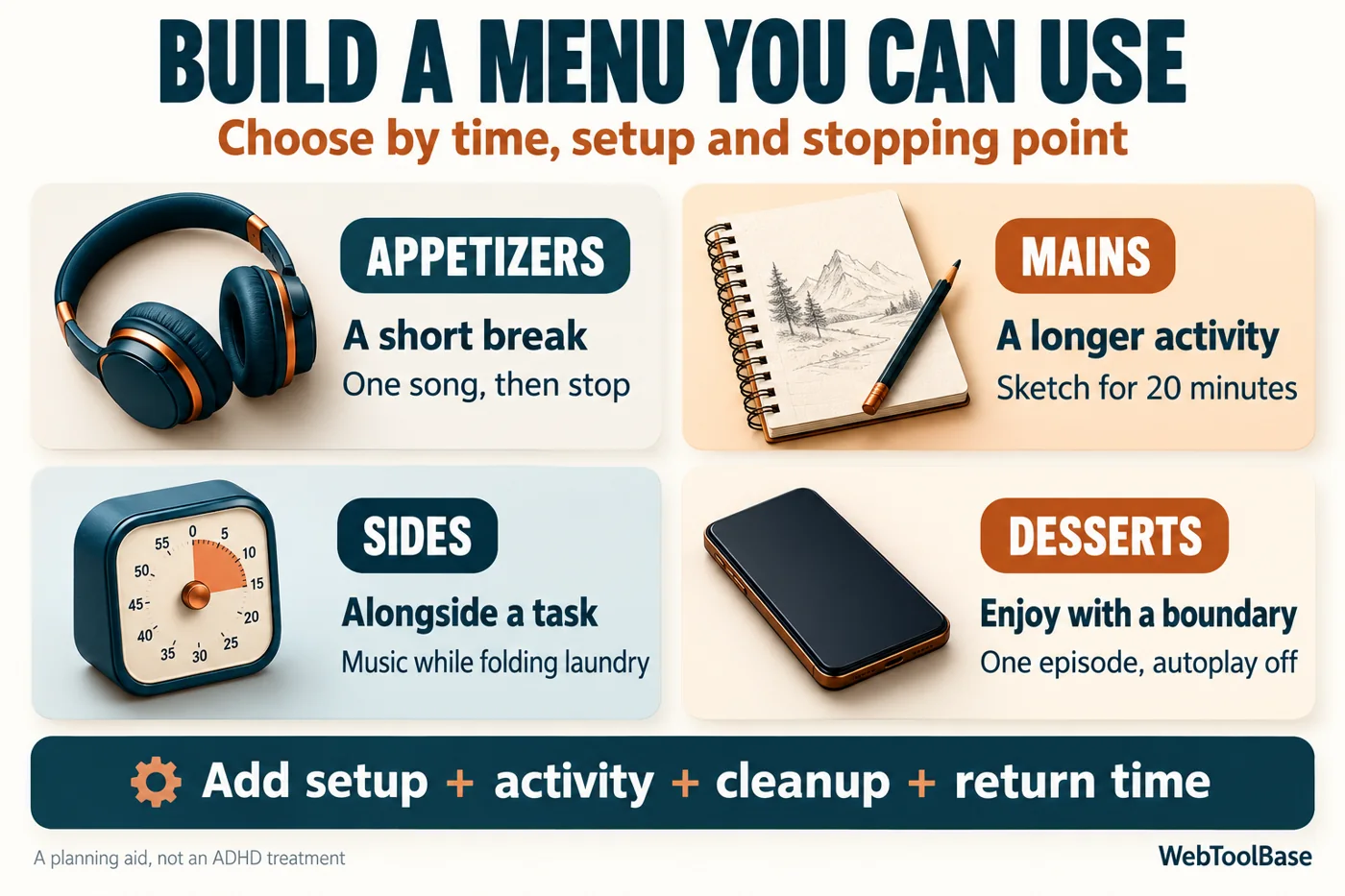
| Category | What belongs here | Example with an exit cue |
|---|---|---|
| Appetizers | An activity that fits a short break, including setup and return | Listen to one saved song, then put the headphones down. |
| Mains | A longer activity that deserves its own space | Sketch one household object for 20 minutes, then close the notebook. |
| Sides | Something compatible with a task you are already doing | Play a familiar playlist while folding laundry. |
| Desserts | An activity for which you want a deliberate boundary | Watch one chosen episode with autoplay off. |
Appetizers: make the first step small enough to take
An appetizer should be available with little preparation. “Do something creative” still leaves you several decisions. “Draw the mug beside me for three minutes” tells you what to start with. Other possibilities include listening to one song, looking out of a window, stretching in a comfortable position or reading two pages of a familiar book.
Check the hidden setup. Making tea may be a pleasant short break if the kitchen is nearby and the kettle is ready. It is a different plan if you need to wash dishes first or walk to another building. Choose the version you can actually do in your present setting. There is no requirement for movement, outdoor space or equipment.
Mains: give an enjoyable activity enough room
Mains are activities you want to spend longer doing: making something, playing an instrument, visiting a friend, walking an accessible route or spending time on a hobby. A main does not have to be useful, impressive or expensive. It can simply be something you like.
Name a session rather than an entire project. “Work on the model” has no obvious endpoint. “Fit the next two pieces, then put the tray away” is easier to leave. If stopping would be frustrating, schedule the activity where you have more room instead of putting it into a narrow gap between obligations.
Sides: choose a companion that does not compete with the task
A side happens alongside something else. Music while folding laundry may be pleasant. The same music may distract you while proofreading a dense document. The question is whether the pair suits the task and you, not whether a sound is marketed as a focus aid.
Try one change at a time: a familiar instrumental playlist, a comfortable workspace or a quiet fidget while listening. If comprehension, accuracy or comfort worsens, remove it. Keep audio and screens out of situations where they interfere with safety or another person’s needs. A side is optional; silence may be the better choice.
Desserts: decide the ending before you start
Desserts are enjoyable activities that you personally find easy to extend. That could be a game, a video feed, reading reviews or browsing a shop. This category is about your pattern, not a judgment that a whole medium is bad. Reading can overrun; a game can have a clear ending.
Write the boundary into the entry: one puzzle round, one saved video, one episode or ten minutes with an alarm you set separately. Disable autoplay when appropriate and choose the next action in advance. If a particular activity repeatedly runs past the boundary, keep it for a less constrained time or choose a different break.
How to make a dopamine menu you will actually use
- Collect a few activities you already enjoy. Start with memories of specific moments, such as sketching at the kitchen table or talking to a particular friend. Avoid filling the menu with things you think you ought to enjoy.
- Describe the smallest usable version. Replace “exercise” with an activity that fits your ability and surroundings. Replace “be creative” with a specific material and a first action.
- Add the real constraints. Note time, preparation, cost, sensory conditions and whether you need someone else to be available. Include at least one low-effort option that needs no purchase.
- Choose a visible ending. A page count, a song, a round or a saved video can be easier to recognize than “until I feel ready.” Use a separate alarm if time matters.
- Keep the first menu short. Two or three choices in a category are enough to test. Leave a category empty if nothing fits today. You can revise the menu after using it.
- Put the menu where the decision happens. Keep a printed copy near your desk or save the text where you normally plan your day. A beautiful file hidden in a folder is easy to forget.
Do not turn meals, hydration, sleep, rest or prescribed care into rewards you must earn. If you are hungry or exhausted, a more elaborate menu may be the wrong problem to solve. Take care of the underlying need. The menu can include pleasant choices without making basic care conditional on finishing work.
A worked example: a 12-minute gap before a call
Suppose you have twelve minutes before a call and want a break from the screen. A saved four-minute song looks as though it should fit. Count the whole sequence: one minute to find headphones, four minutes listening, one minute to put them away and two minutes to reopen notes and join the call. The total is eight minutes, leaving four minutes of space.
Compare that with a ten-minute video: one minute to locate it, ten minutes watching and two minutes to put the phone away and return to the call. That is thirteen minutes before any interruption. The video does not fit this particular gap, even though its runtime sounds short.
The planning formula is simple: total break time = setup + activity + cleanup + return. The numbers are illustrative estimates. Time one familiar break to find out which part you routinely miss. If you need a backward plan for an appointment, the time blindness calculator gives preparation and transition their own place.
Two sample menus for different circumstances
| Situation | Short option | Longer option | Boundary to write down |
|---|---|---|---|
| A quiet afternoon at home | Sit with tea by the window for five minutes. | Sketch one object for twenty minutes. | Put the cup down or close the sketchbook, then check the next appointment. |
| A busy day in a shared office | Look away from the screen and read two pages of a small book. | Call a friend during a planned break in a suitable space. | Stop at the marked page or agree on a short call before starting. |
| A day when movement or noise feels difficult | Look through a small set of favorite photographs. | Listen quietly to a chosen audiobook section, if comfortable. | Choose the last photograph or chapter before beginning. |
For the home menu, quiet music could be a side for folding laundry. One puzzle round could be a dessert. In the office, headphones may be unsuitable if you need to hear coworkers or safety signals. On a low-effort day, even choosing between several activities may feel like work. Circle one fallback option in advance, or simply rest without an activity.
Use the free generator and printable menu
Open the WebToolBase dopamine menu generator. The starting example contains two entries per category. Edit those lines or choose Start blank. Write a menu title, add one activity per line and select Generate my menu. Empty categories are allowed, but the menu needs at least one activity overall.
Read the preview before exporting. The generator keeps your order and supports up to twelve activities per category, with a limit of 180 characters for each line. If you edit a field, the previous preview clears. Generate again to make a fresh copy. This avoids downloading a menu that no longer matches your entries.
Open printable menu creates a separate tab with a Print or save as PDF button. Your browser handles printing and any PDF destination available on your device. Download menu saves a plain text file that is easy to edit later. The suggestion button randomly selects one entry from each populated category; it does not assess mood, health, available time or suitability.
No account or email address is required. Entries are not saved between visits, so download a copy before refreshing or closing the page. The generator uses your entries in the page rather than sending them to a menu-generation service. Wider website practices are covered in the privacy policy. Avoid putting sensitive personal details into a menu you intend to print or share.
A plain dopamine menu template you can copy
Menu name: __________
Appetizers: activity / setup / stopping point
Mains: activity / time available / cleanup
Sides: companion activity / task it fits / when to remove it
Desserts: chosen activity / boundary / next action
Fallback: one accessible option for a difficult day
Review: what I enjoyed / what ran long / what to change
You can also add a specials section for an occasional event or outing. Put the date, cost and preparation in your ordinary calendar or budget. A special does not need to become a daily goal, and a purchase is not necessary for a useful menu.
Review what happened, without grading yourself
After trying a few entries, ask three questions: Was it easy to start? Did I enjoy it? Could I leave it at the intended point? A simple yes, no or brief note is enough. These observations describe your experience; they do not measure dopamine or prove a treatment effect.
For example, “music while sorting papers” might make the task pleasant but cause you to reread details. Move that playlist to laundry and try silence for paperwork. A drawing session might be enjoyable but take too long to clean up. Keep a smaller pencil kit ready or move drawing to a longer break. Change the activity or its context instead of deciding the whole method has failed.
Review when the menu stops fitting your life. A familiar activity can become less appealing, a work schedule can change and access needs can vary. Retire entries that you repeatedly avoid. You do not need an ever-growing list or a streak of daily use.
Common problems and useful adjustments
- The menu feels like another to-do list. Remove duties disguised as treats. Keep activities you want to do, including things with no productive outcome.
- There are too many choices. Keep a short everyday list and put occasional ideas elsewhere. Mark one fallback that fits most short breaks.
- Every option needs setup. Add one entry that uses something already within reach. Prepare a small kit only if that preparation is worthwhile to you.
- The break always runs long. Count setup and return time, choose a clearer ending or move that activity to a period without a tight deadline. An alarm is a separate tool, not a feature of the generator.
- The next task still feels difficult. Write a concrete return action, such as opening one document. The small-steps guide can help you describe that first action. A pleasant break does not guarantee that an unrelated task becomes easy.
Keep the menu with the planning system you already use
A scrap of paper, a note on your phone or a page in an existing notebook is enough. If you prefer an undated digital PDF, compare the current options in the WebToolBase planner shop. Check the actual page previews, device requirements and included files before buying. The generator, printable menu and text export do not require a purchase.
If screen comfort matters, read the dark and light planner comparison before choosing a layout. A darker design is a preference to try, not a promise that every person will find it more comfortable. Keep the menu readable and close to the place you use it.
Frequently asked questions
Does a dopamine menu work for everyone with ADHD?
No outcome is guaranteed. You can test whether having a few written options helps you choose a break. If the list adds effort or does not suit you, shorten it, rename it or leave it aside. It is not a substitute for individual assessment and care.
Do I need an ADHD diagnosis to use a menu?
No. Anyone can write down enjoyable activities. Using a menu does not tell you whether you have ADHD, and a preference for one category has no diagnostic meaning.
How long should appetizers and mains last?
There is no clinical duration for these labels. Choose times that fit your day and include setup, cleanup and returning. A five-minute activity may need an eight-minute slot. A main may deserve an uninterrupted period later rather than a squeezed break now.
Can games or social media be on the menu?
Yes, if you want them there. Choose an entry and boundary that fit your own use. A game round may be easier to end than an open feed. If a boundary regularly fails, choose a different activity for short gaps and keep that one for a more flexible time.
Can I save my menu as a PDF?
Use Open printable menu, then Print or save as PDF in the new tab. PDF availability and options depend on your browser and device. You can always use the text download as an editable copy. The page does not remember entries after a refresh.
Written and maintained by WebToolBase. Examples are illustrative and the generator is a planning aid. Source links: How to ADHD’s original menu discussion and NIMH’s adult ADHD overview. Suggest a correction.