
Published
Last updated
A visual brain dump gets loose tasks and ideas onto a board where you can see what belongs together. On WebToolBase.com’s free Freeform Blackboard, capture one thought per note, group related items, then pick up to three actions that fit the time you have. Save the board before you close it.
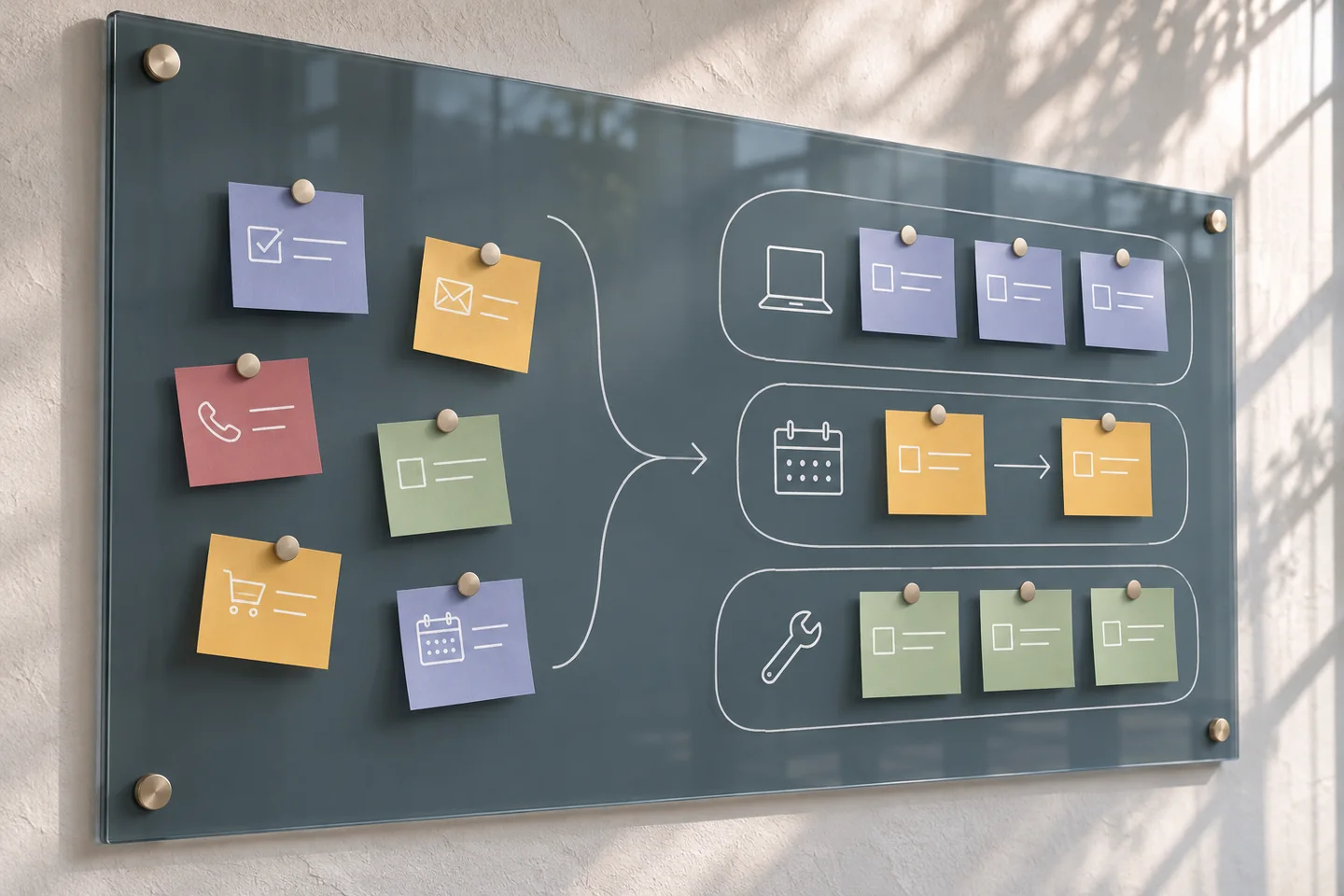
At 3:10 on a Tuesday, you have 45 minutes. The school form is due tomorrow, the carpool still needs a reply, and a report is waiting on figures someone else has to send. All three keep coming back to mind. A visual brain dump gives each one a place on the board so you can decide what deserves those 45 minutes.
What is a visual brain dump?
Write down whatever keeps interrupting you, one item at a time. Place related notes near each other, give groups short labels and draw an arrow when one thing has to happen before another. The position of a note can tell you whether it is ready, scheduled or waiting. That makes a board useful when priorities are tangled or when a long list hides an important dependency.
Alan Baddeley described working memory as a system for temporarily storing and manipulating information while we do things such as reason or understand language. In a separate review, Nelson Cowan estimated capacity at around four chunks under restricted experimental conditions. Familiarity, the task and what counts as a chunk all matter. Four is a laboratory estimate. Choose as many groups as you can comfortably scan. Baddeley’s working memory paper · Cowan’s capacity review
An external cue can also help with remembering an intention. In Sam Gilbert’s experiments, participants could use external reminders, and reminder use improved performance on the experimental task. A board gives you somewhere to look while planning. A calendar alert or a note by the door gives you a cue when it is time to act. Use both where they help. Gilbert’s reminder experiments
How do you sort notes into priorities?
- Capture without sorting. Give yourself a few minutes. Put “ask for figures” and “draft the report” on separate notes. Include unanswered questions and appointments alongside tasks.
- Give each note a home. Start with Now, Scheduled and Waiting. Write the date or trigger on anything scheduled. For a waiting item, add the person or event you are waiting for and a follow-up time.
- Mark one dependency. Draw an arrow from the missing input to the task it blocks. Ask whether there is a piece you can do in the meantime, such as creating section headings with placeholders.
- Choose a first action and check the clock. Give each selected step a rough estimate and reserve time for switching or interruptions. Put time-sensitive items on your calendar and export the board if you want to revisit it.
If a note reads “report,” rewrite it as an action you could see yourself doing. “Open the report and add three headings” gives you somewhere to begin. The Executive Dysfunction Starter can help you choose a first move. Use the Task Paralysis Breaker when you need a short checklist for a larger task.
What does a nine-item brain dump look like?
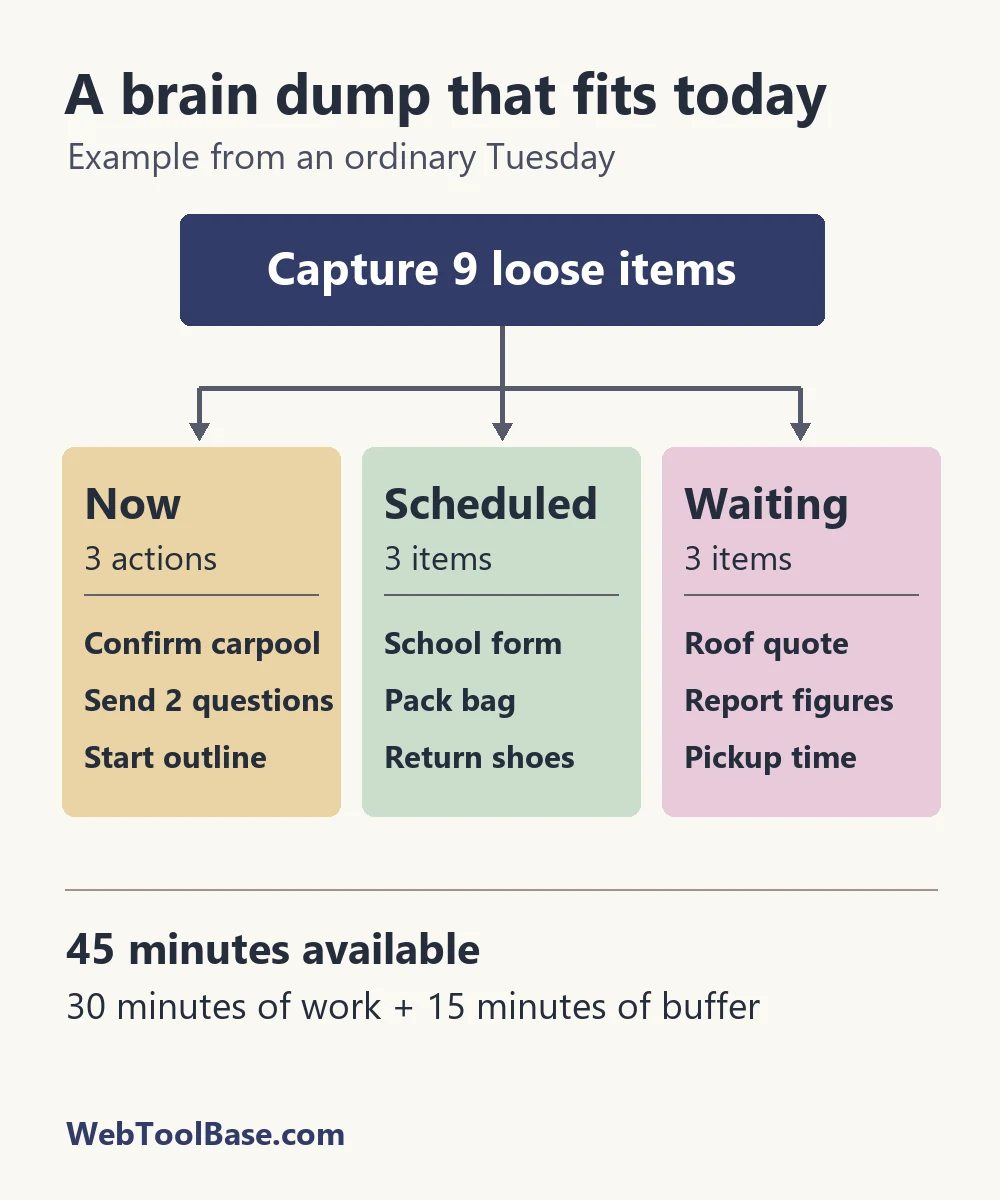
The following example uses illustrative estimates. Start with 45 available minutes and reserve 15 for switching or interruption. That leaves 30 minutes for the three actions in Now. The full report stays in Waiting for figures, but the outline can move ahead.
| Group | Notes | Decision |
|---|---|---|
| Now | Confirm carpool (5 min), send two report questions (10 min), start the report outline (15 min) | Reply before 4:00. Send the questions before opening the draft. Leave placeholders for the figures. |
| Scheduled | School form, pack bag, return shoes | Set a 7:00 p.m. reminder for the form, put the bag by the door tonight and pair the return with Thursday’s errand. |
| Waiting | Roof quote, report figures, pickup time | Record who owes each answer. Set a follow-up for the figures tomorrow at 11:00 a.m. if nothing comes in. |
Suppose a phone call takes ten of those minutes before you start. Keep the carpool reply and the questions. The original outline can wait, or you can open the document and write a single heading. When a buffer disappears, the board still tells you what comes first.
Which tool fits the way you work?
| Tool | Use it for | Trade-off |
|---|---|---|
| Freeform Blackboard | Solo planning with movable notes, freehand sketches and a board you can reopen from JSON | Free and no login required. Export before closing. |
| Online Drawing Tool | A quick sketch, route or diagram | Use the drawing canvas when you can label the relationships in a sketch. |
| Excalidraw | Diagrams with shapes, arrows and text | Try the open-source editor when diagrams are the main work. |
| Miro Lite | A whiteboard to share for a short group session | Miro offers no-registration use in Lite. Check the current session and saving limits before relying on it. |
| Text list or calendar | Keyboard-first capture, exact deadlines or recurring reminders | Use three headings for sorting and calendar alerts for anything with a time. |
On a small screen, give each group its own compact area and zoom in while editing. Write the group name in words as well as color. If dragging is awkward, use a plain text list with the same three headings and copy only the decisions you want to keep. When timing is the stumbling block, the Time Blindness Calculator can help you work backward from a firm departure or arrival.
How do you save and revisit a brain dump?
Use Export on the Freeform Blackboard to save a JSON file to your device. Keep it in a folder you can find. To pick up where you left off, open the board and use Import with that file. Do this before closing or refreshing a tab, and keep files that contain sensitive details in a private location.
A board that stays open all week can turn into a second inbox. Before you leave, transfer appointments to your calendar, put follow-ups where they will have a reminder, and leave the next step where you can see it. When you return, check Waiting first. A reply may have cleared the one task you could not do yesterday.
Questions about visual brain dumps
What goes in a visual brain dump?
Capture commitments, loose ideas, things you are waiting for and questions that need a decision. Keep one idea per note and use enough detail to recognize it later.
How many priorities should I choose?
Start with one action that fits the time you have. Add a second or third only when the total leaves some room for interruptions and transitions.
Is a visual brain dump the same as a mind map?
A brain dump starts with whatever is on your mind. A mind map usually starts with a central topic and branches outward. You can turn one cluster from a brain dump into a mind map later.
Can I use the blackboard without logging in?
Yes. Open the WebToolBase Freeform Blackboard directly. Export its JSON board file before closing or refreshing the tab, then use Import to restore it.
What if a board feels too busy?
Try three plain headings in a text editor: Now, Scheduled and Waiting. Use your calendar for deadlines and set a reminder for any follow-up you need to remember.