
Published
Last updated
When executive dysfunction makes a task hard to start, name one action you can see yourself doing and give it a clear stopping point. Open the draft, put one cup by the sink, or find the first box on a form. The Executive Dysfunction Starter from WebToolBase.com suggests a first action and offers an optional two-minute timer.

The email is still there. You can picture the whole exchange, including the follow-up you are worried about, but you have yet to open the message. “Reply to email” leaves you deciding what to say, how to say it and whether to send it. If you change the instruction to “open the email and type a private greeting,” there is a point you can reach and see.
What makes a first step small enough to start?
Task initiation is the move from intending to do something to taking the first action. Executive dysfunction is a broader term for difficulties with skills such as planning, starting, switching or holding a goal in mind. Trouble beginning one task can have many causes. Look for the decision, discomfort or missing prerequisite that is stopping this particular start.
A useful first step has a verb, an object and a visible checkpoint. “Read” leaves a decision open. “Open the notes to the marked page” gives you an object and an endpoint. If opening the notes requires logging in and finding a missing password, the first step changes again. Write down which account you need or use the paper copy already beside you.
Psychologists Peter Gollwitzer and Paschal Sheeran describe an implementation intention as a plan for the “when, where, and how” of acting. Their meta-analysis of 94 tests reported an average standardized effect of d = 0.65 on goal attainment across different kinds of goals. A cue you are likely to encounter is one practical application: “When I set my lunch plate down, I will open the email draft.” The research covered a wide range of goals and did not test this tool or establish a countdown length. Read the original meta-analysis.
Does the 90-second activation rule work for ADHD?
Ninety seconds and two minutes are useful to compare as time limits you choose. A 90-second window leaves 30 fewer seconds than a two-minute window. The shorter option may feel easier to agree to. Two minutes may be more comfortable if opening the file already takes most of a minute. A timer is optional, and the action can be over before either window ends.
The evidence for adult ADHD treatment addresses a different question. Steven Safren and colleagues randomized 86 adults with persistent ADHD symptoms who were already taking medication. After 12 sessions, 67% in the cognitive behavioral therapy group and 33% in the relaxation and educational support group met the study’s response criterion on the ADHD rating scale. The trial studied a course of clinician-led treatment. It provides no estimate of what a 90-second starter will do. Read the randomized trial.
If the clock makes you rush, try one visible action with the timer off. If you regularly skip meals, miss essential appointments or struggle to manage daily activities, bring specific examples to a qualified clinician. The examples are more informative than a record of how many countdowns you finished. See the NICE ADHD guideline.
How do you start an overdue email in two minutes?
Suppose the actual task is to answer a request for a meeting time. You are stalled because you still have to check your calendar. Start by opening the email and typing “Check Tuesday and Thursday afternoon” into a private draft or note. Keep the message unsent until you can confirm a time.
In this illustrative run, opening the message takes 20 seconds, typing the reminder takes 35, and marking the two time slots takes another 25. That is 80 seconds altogether, with 40 left on a two-minute timer. The draft is the checkpoint. If your calendar takes another two minutes to load, you already have a useful place to resume. These numbers show how to use the time window. They are example timings.
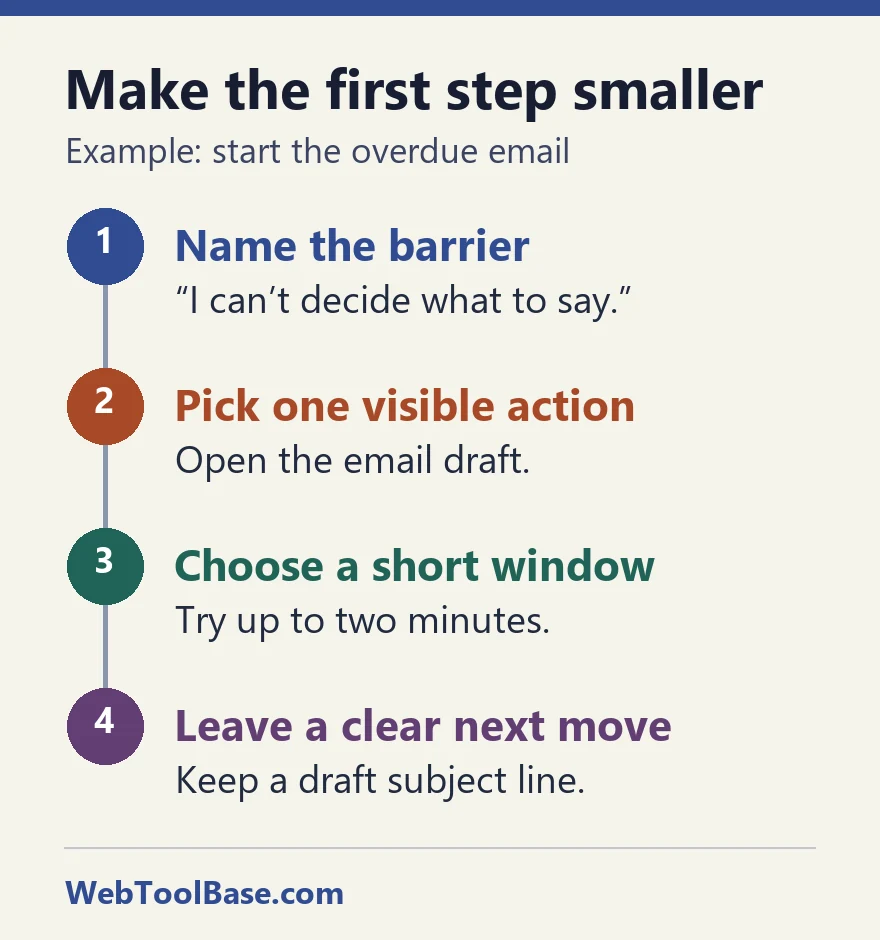
A second run can be simpler. Write down one thing that needs deciding, then leave it on the first line. This is particularly helpful before an interruption, when you know you will return and have to reconstruct what you were doing. A note such as “check both calendars” gives tomorrow’s self a usable instruction.
What should you try when the first action still feels too big?
Work backward from the obstacle you can name. Some tasks are unclear, some are physically awkward, and some genuinely depend on somebody else. For those situations, choosing a smaller action often means changing the setup or asking a specific question.
| What is in the way? | Try this first | A visible stopping point |
|---|---|---|
| I do not know what to write | Open the draft and type a working title. | The page has a title. |
| The task is out of reach | Pull up the file or move one safe item within reach. | The item is available where you are. |
| I need a file or permission | Write the exact file or permission you need. | You have one specific request. |
| The timer feels like a deadline | Turn it off and put one cup by the sink. | One cup is in place. |
| I keep losing my place | Highlight the next unfinished line. | You can see where to return. |
NHS inform suggests starting with a shorter, easy task when managing ADHD symptoms in work or education. NICE also gives examples of changing the environment, such as adjusting noise or arranging shorter periods of focus with movement breaks. A quieter spot, a keyboard shortcut or a different seat may make more difference to the next action than another attempt with a stopwatch. See the NHS inform work and education guide.
When a project has many dependencies, the Task Paralysis Breaker can help you assemble a short checklist. If a task may simply cost more energy than you have today, try the Spoon Theory Energy Budgeter to make room for a reserve. Use the 3-3-3 Method Planner when you already know your first action and need to fit the rest of the day around it.
Leave tomorrow’s starting point where you will see it: a draft title, an item beside the door or one line on a daily page. The WebToolBase digital planner shop has optional planner pages for readers who prefer a reusable place to keep that cue. The starter is free to use in the browser and needs no sign-in.
Frequently asked questions
Is there an evidence-based 90-second activation rule for ADHD?
The sources in this guide support trying specific cues and manageable tasks. They do not establish 90 seconds as a clinical threshold. Use a short window only if it makes the first action easier to try.
What if I cannot get off the couch to start?
Choose a safe action you can do where you are, such as opening a file or naming what you need. For a physical task, an accessible position, help from someone else, or a change of timing may be the next step.
Can a first step be enough for today?
Yes. You can stop once the action has happened. If returning later would help, leave a visible cue, such as a highlighted line or an unsent draft.
When should I use the Task Paralysis Breaker instead?
Use it when you need to sort a broad assignment into several actions. Use the starter when a single action and an optional short countdown fit the moment.